Introduction:
To Connect Zerodha with TejiFactor, follow these steps:
1. Enable TOTP from Kite Zerodha Portal.
2. Add Zerodha Account Details in TejiFactor.
Step 1:
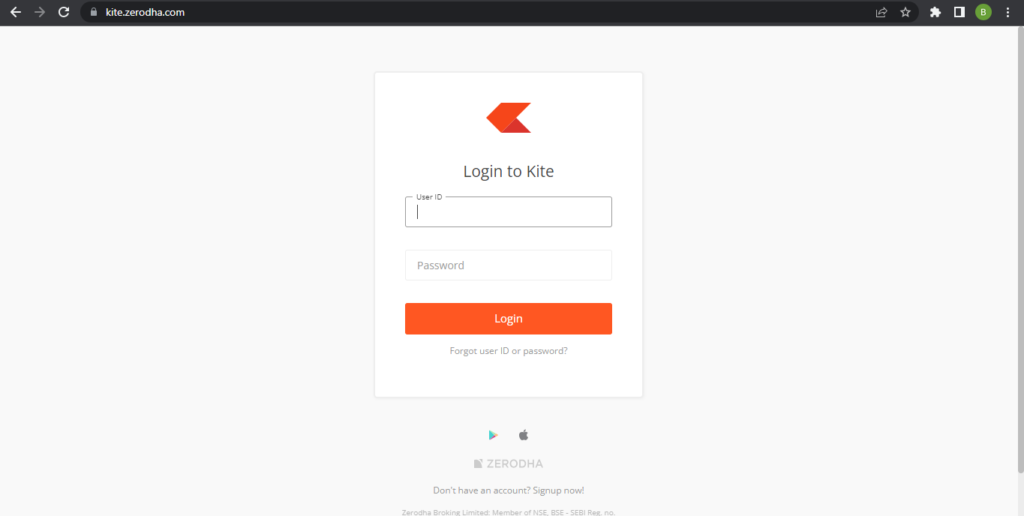
Open the Kite Zerodha website using the following link: https://kite.zerodha.com/
- Enter User ID and Password then Click on Login.
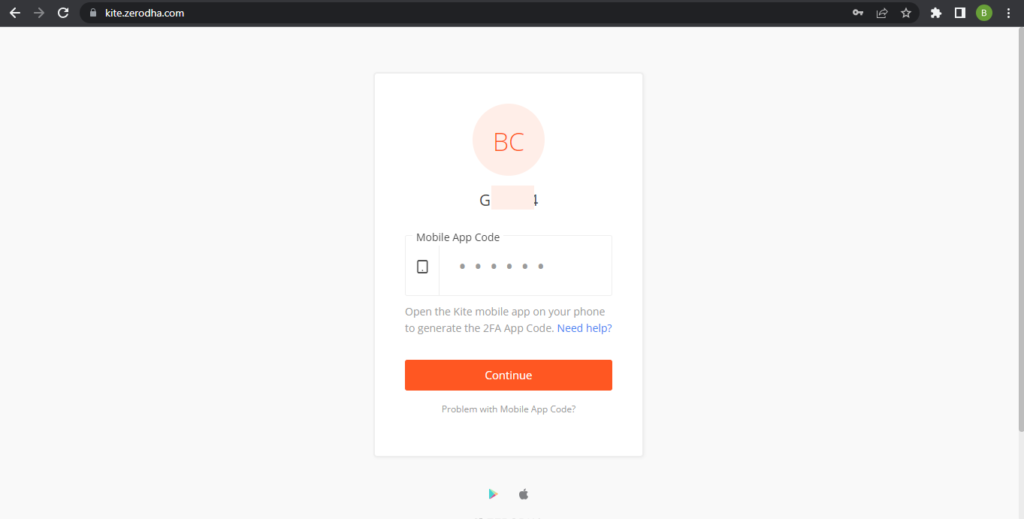
- Enter Mobile App Code which you will get from Zerodha mobile app to login into Portal. If you are not using mobile app You can generate OTP to login click on “Problem with Mobile App Code”. it will give option to send otp on your register Mobile number or Email id.
Step 2:
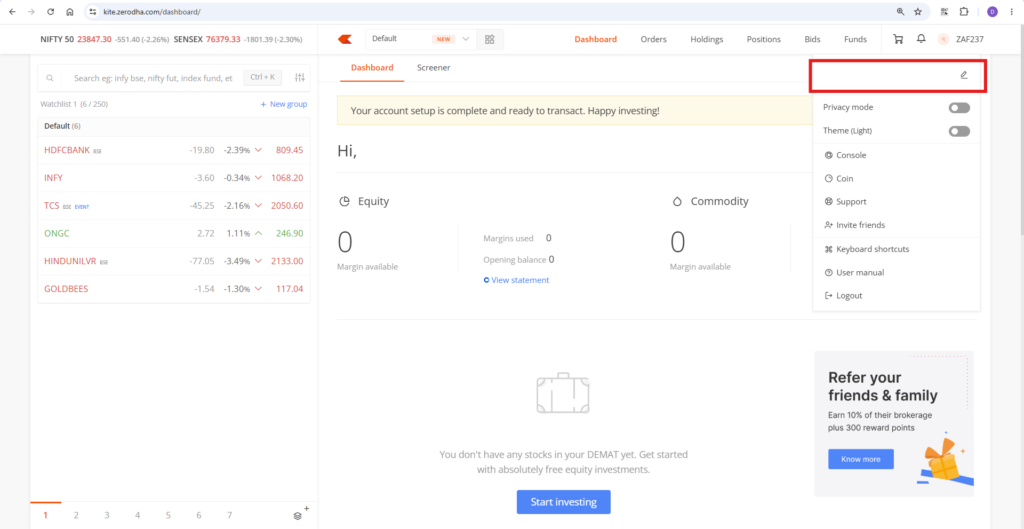
Once You are Logged In, Click on Your “User ID” which is Top-right side of portal.
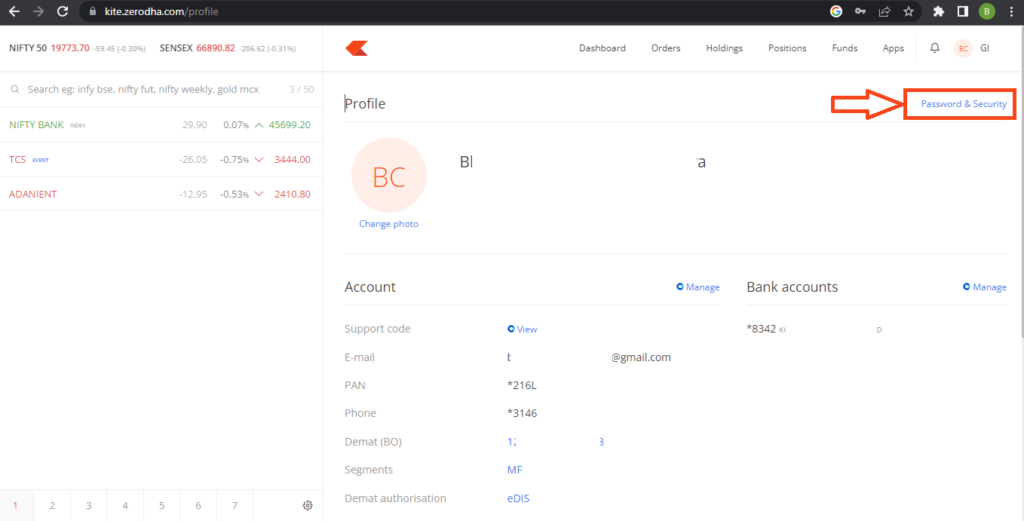
Click on “Your Name”. You will See Below Screen.
Top right corner You will see “Password & Security” Option.
Step 3:
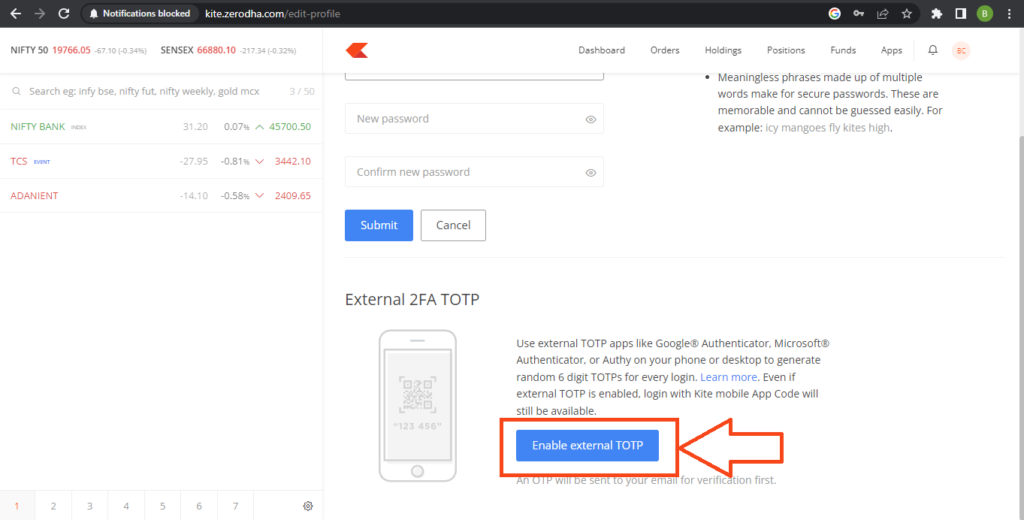
After Click on “Password & Security”. You will see below screen.
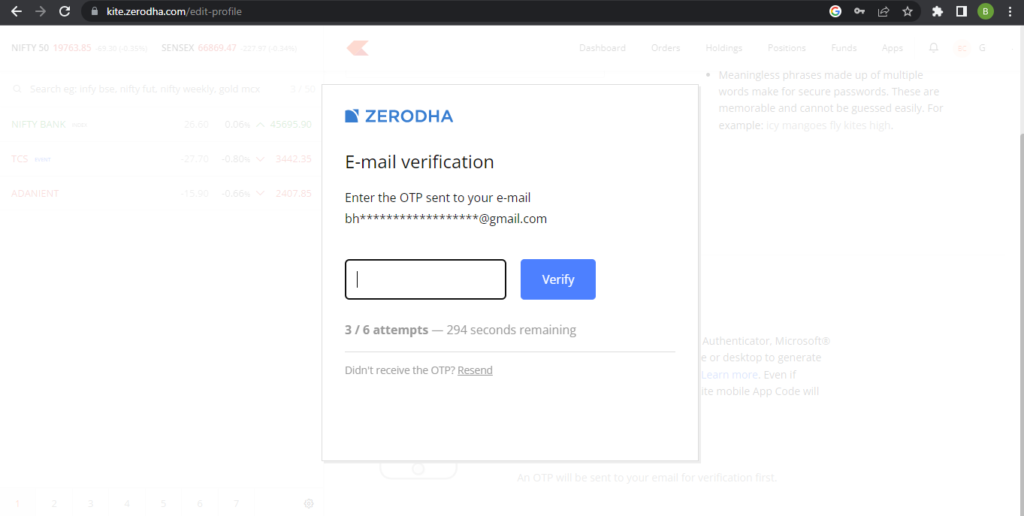
Click on “Enable external TOTP”. It will trigger OTP on your registered email Id . You have to enter that OTP and verify that OTP.
Step 4:
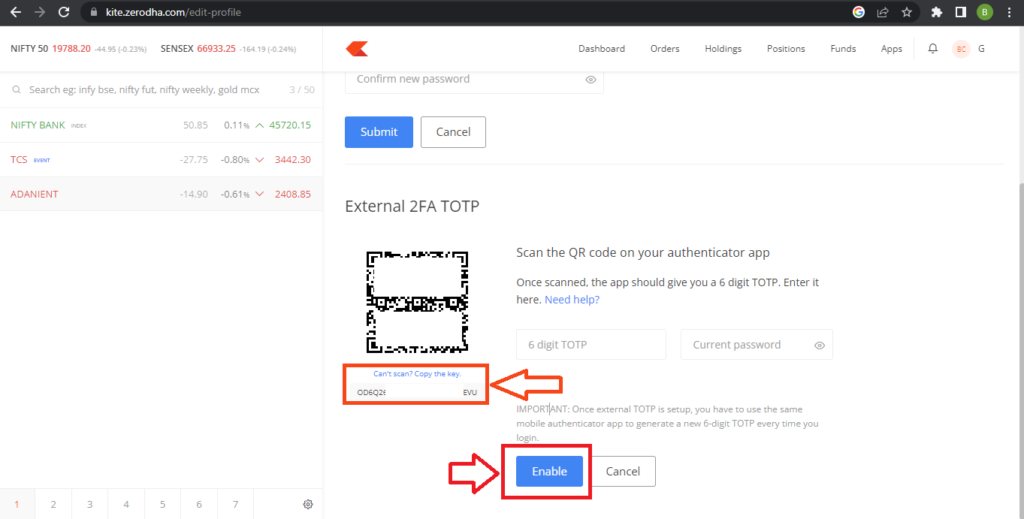
- Once you verify OTP, a QR code will appear on your screen.
- Download the Google Authenticator app:
- Android users : GOOGLE AUTHENTICATOR
- iPhone users : GOOGLE AUTHENTICATOR
- Open the app and Tap “Scan a QR code.”
- That’s it — the app will automatically add your Zerodha account and start showing you a new 6-digit code every few seconds.
- Save your backup key too: On the Kite Zerodha screen, tap “Can’t scan? Copy the key” — this saves a Backup code. Keep it somewhere safe in case you lose access to your phone later.
- Finish setup:
- Type in the 6-digit code currently shown in the Google Authenticator app
- Enter your Zerodha password
- Tap “Enable”
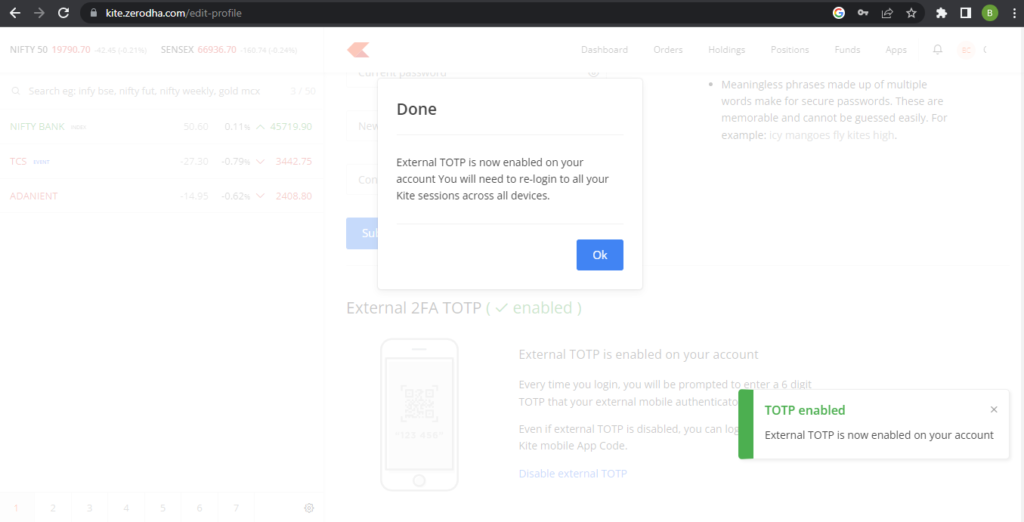
- Once done, you’ll see a message saying “TOTP Enabled”
Step 5:
Now, Go to Tejifactor’s Website using the following link: https://www.tejifactor.com/auth
Login to your Tejifactor Account.
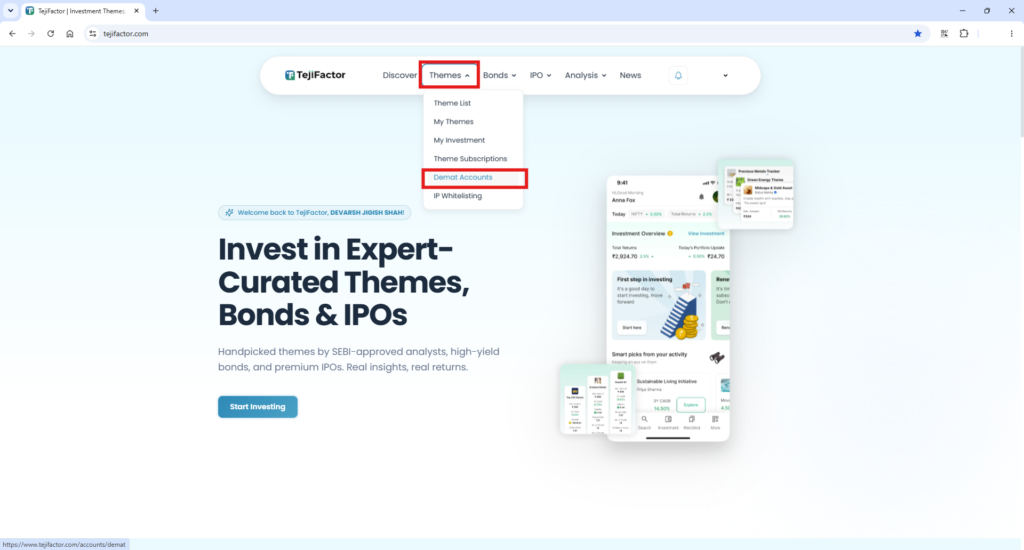
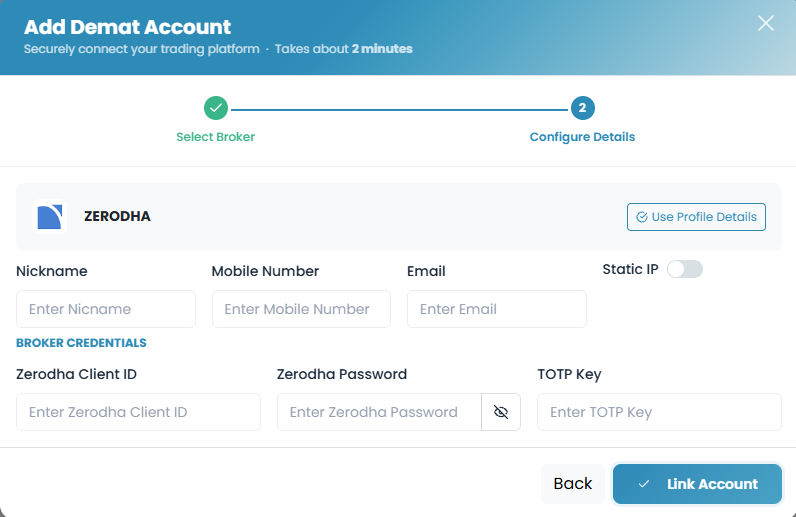
Go to the “Themes” tab and click on “Demat Accounts.” Click on “Add Account” and Select “Zerodha” as the broker and provide the following details:
- Nickname
- Mobile Number
- Zerodha Client ID
- Zerodha Password
- TOTP Key (generated from the Zerodha portal in Step 4).
Click on “Add.” You will see a “Broker Connected” pop-up.
You’re All Set!
You have successfully connected your Zerodha account to Tejifactor.