


Introduction:
To connect Zerodha with Tejifactor, follow these steps:
1. Generate API Key and API Secret from the Zerodha Developer Portal.
2. Add Zerodha Account Details in Tejifactor.
Step 1:
Go to Tejifactor’s Website using the following link: https://www.tejifactor.com/auth
Login to your Tejifactor’s Account.
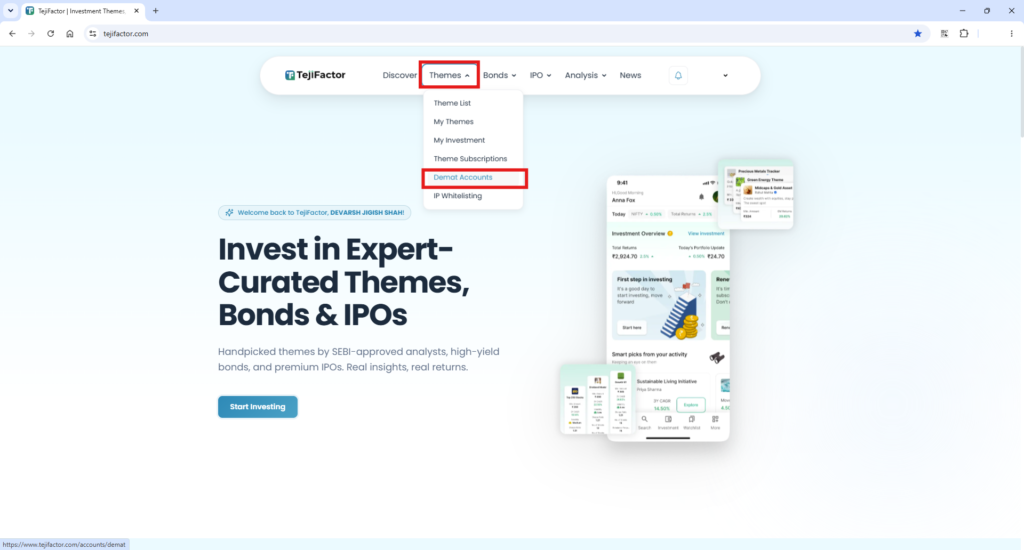
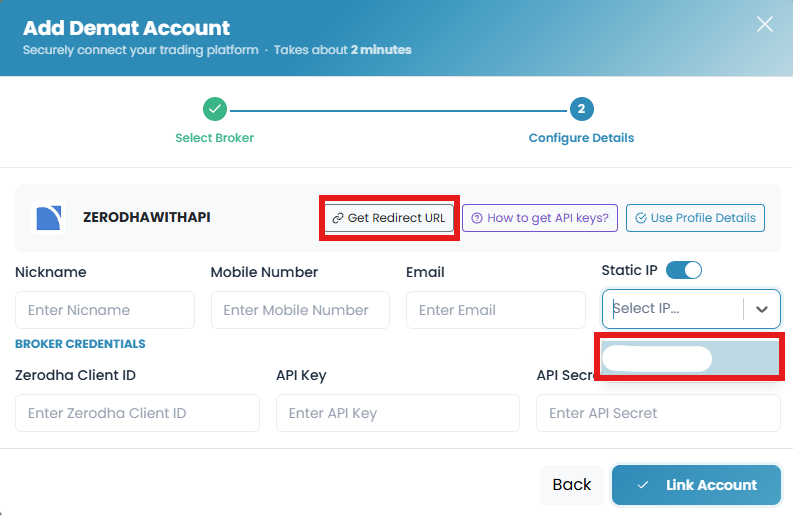
Go to the “Themes” tab and click on “Demat Accounts.” Click on “Add Account” and Select “Zerodha With API” as the broker and provide the following details:
- Nickname
- Mobile Number
- Email ID
- Select “Static IP” (Allocated after Subscribing to the Theme)
- Zerodha Client ID
- API Key (generated from the Zerodha Developer Portal in Step – )
- API Secret (generated from the Zerodha Developer Portal in Step – )
Step 2:
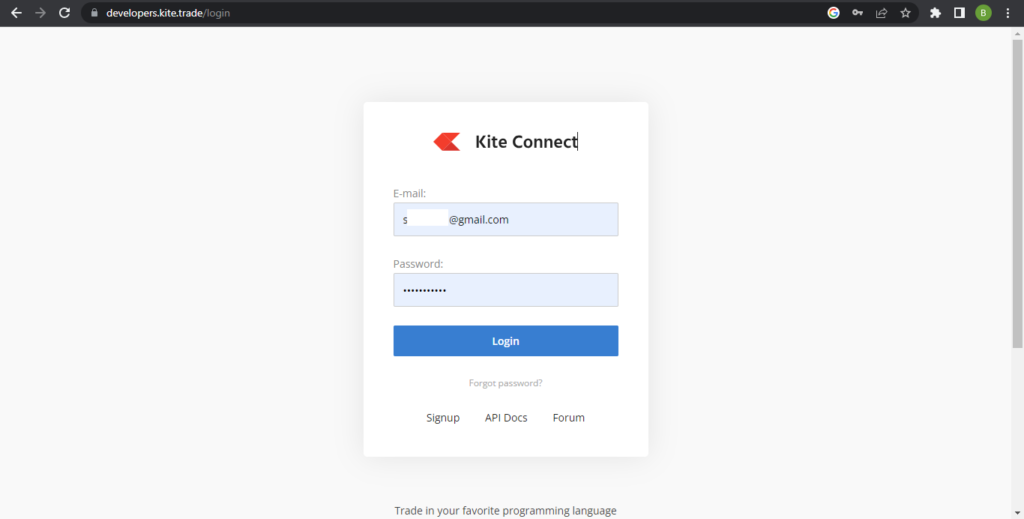
Open the Developer Kite website using the following link: https://developers.kite.trade/login
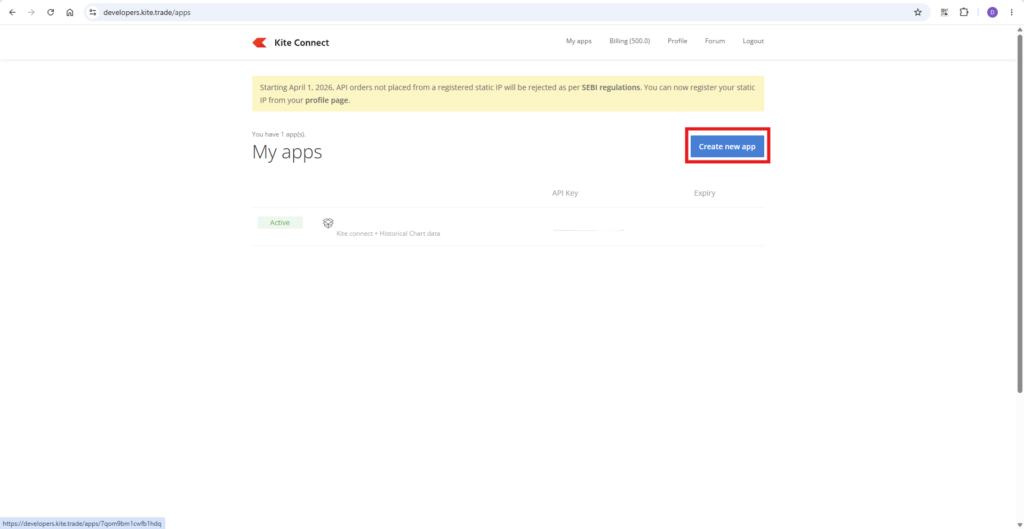
Enter your Email ID and Password to log in. Once you logged in Click on ‘Create new app’ button for creating API.
Step 3:
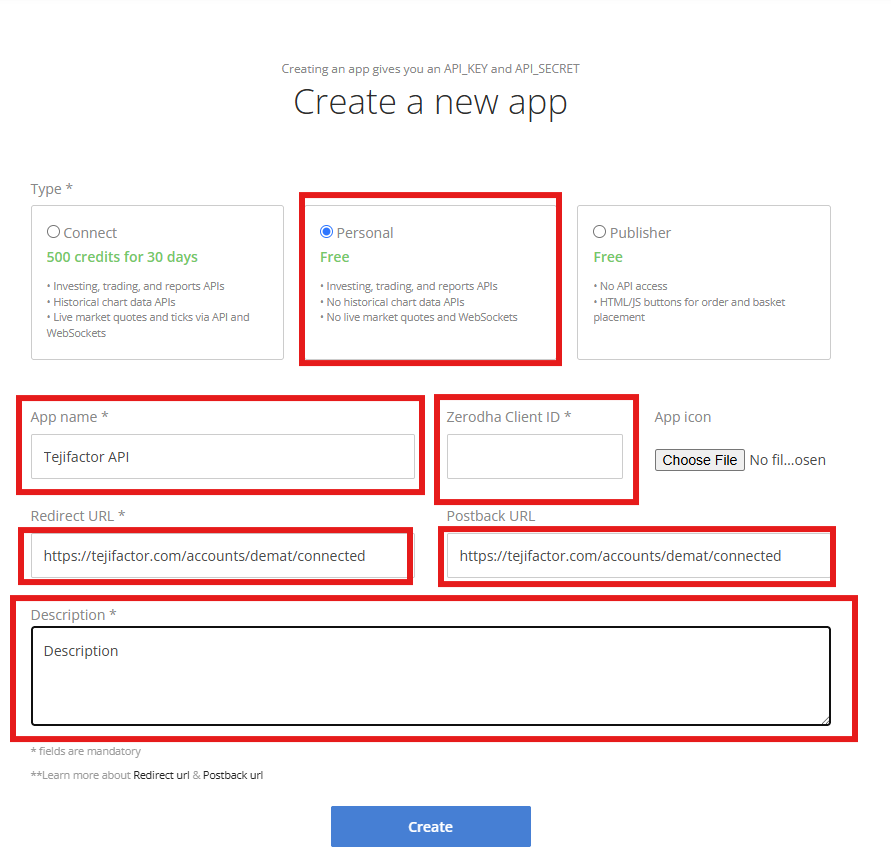
- To create your Zerodha API app, Select the “Personal” option and enter your preferred app name (example: “TejiFactor API”).
- Add your Zerodha Client ID, and for both the Redirect URL and Postback URL, Copy and Paste following Link: ” https://tejifactor.com/accounts/demat/connected “
- Provide a short description for your app and click the Create button to complete the Zerodha API setup.
Your Zerodha API is now successfully generated, and you can proceed with integrating it with Tejifactor.
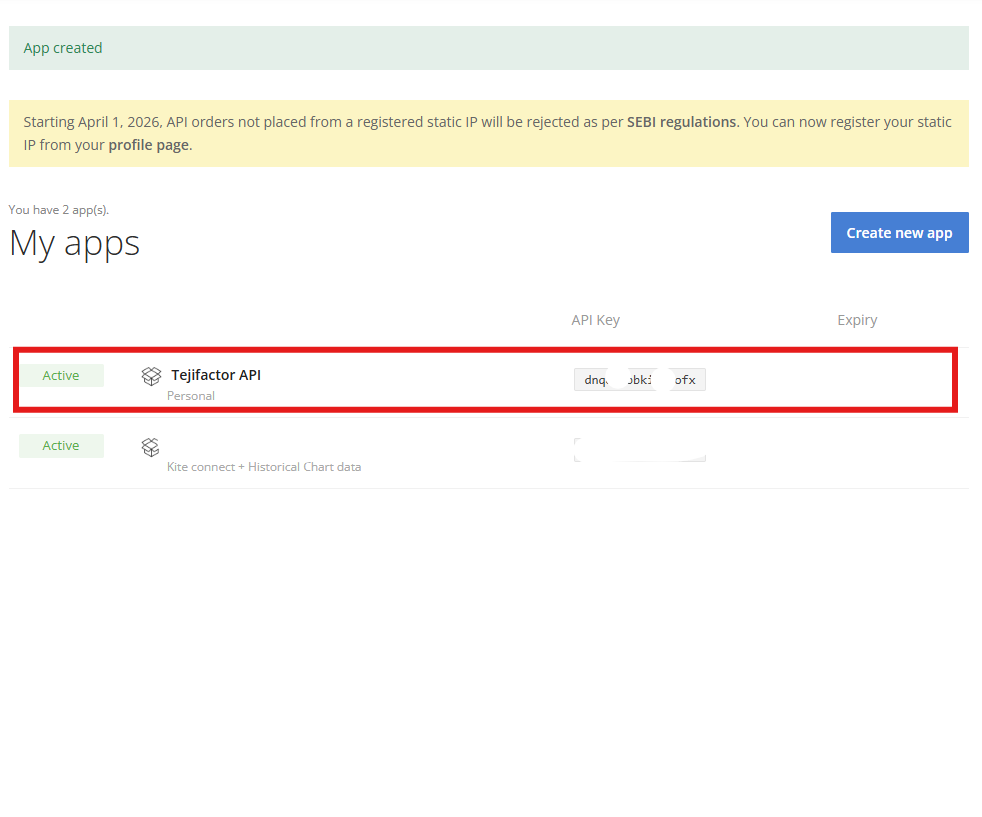
Step 4:
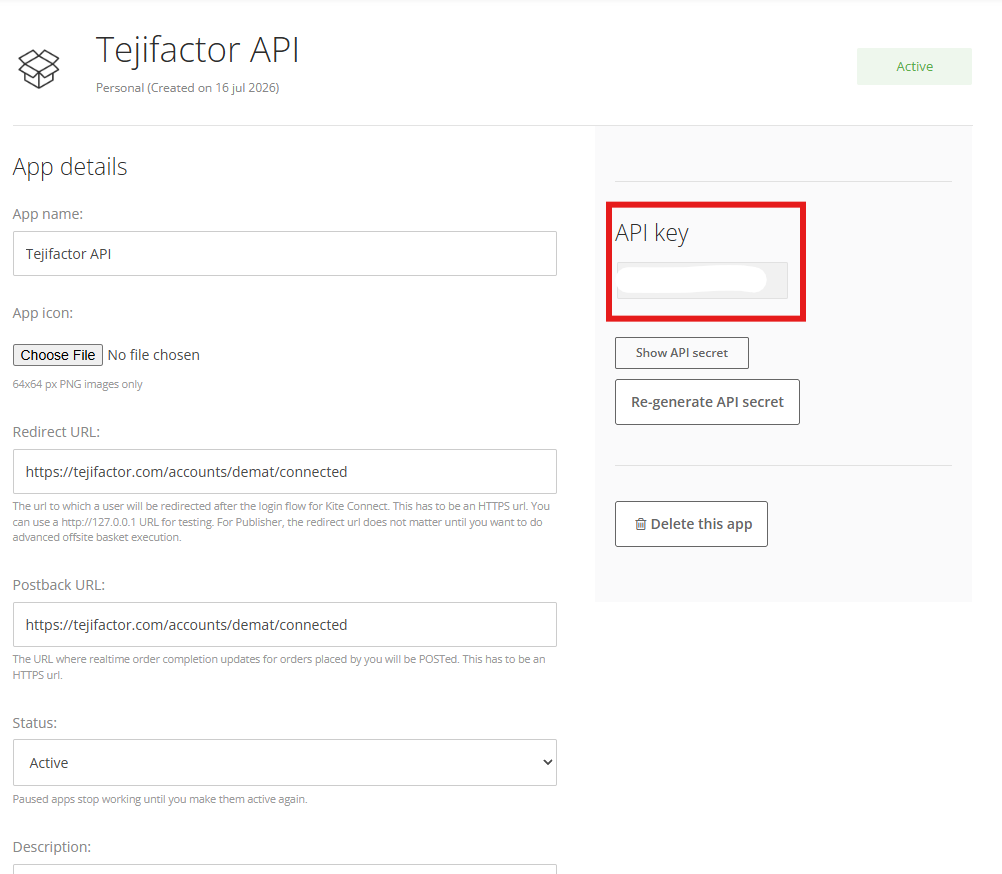
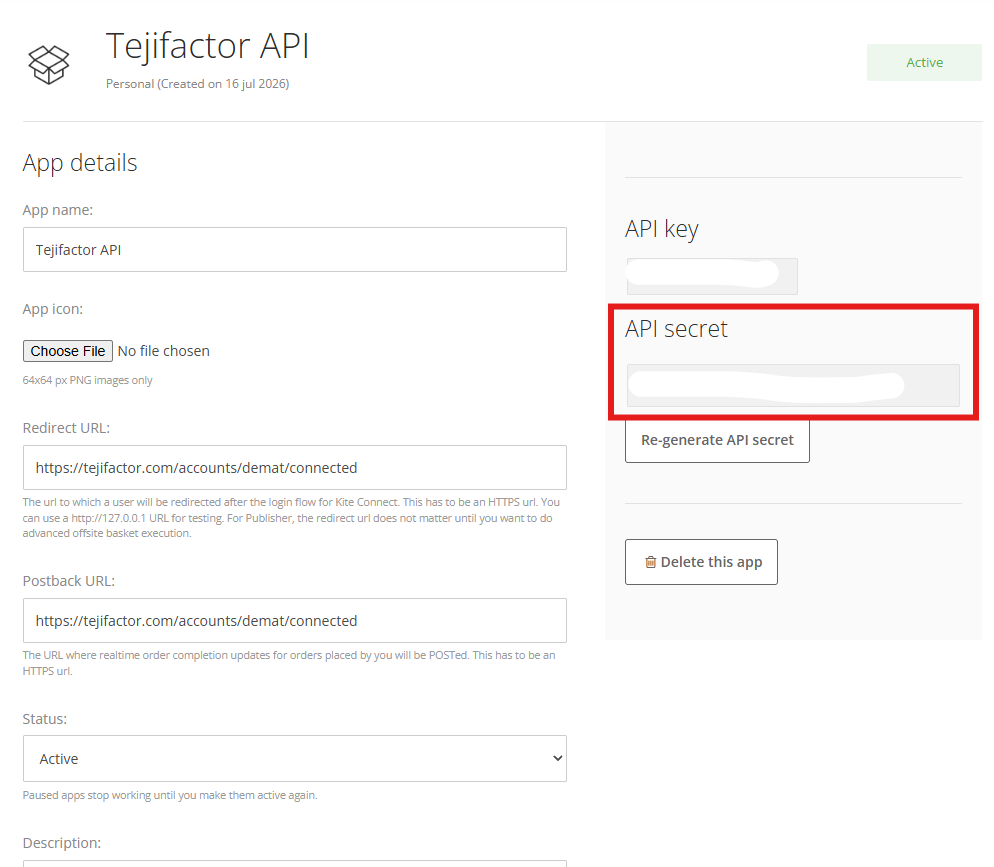
Now click on your newly generated API, and you will be able to view your Zerodha API Key and API Secret for further integration.
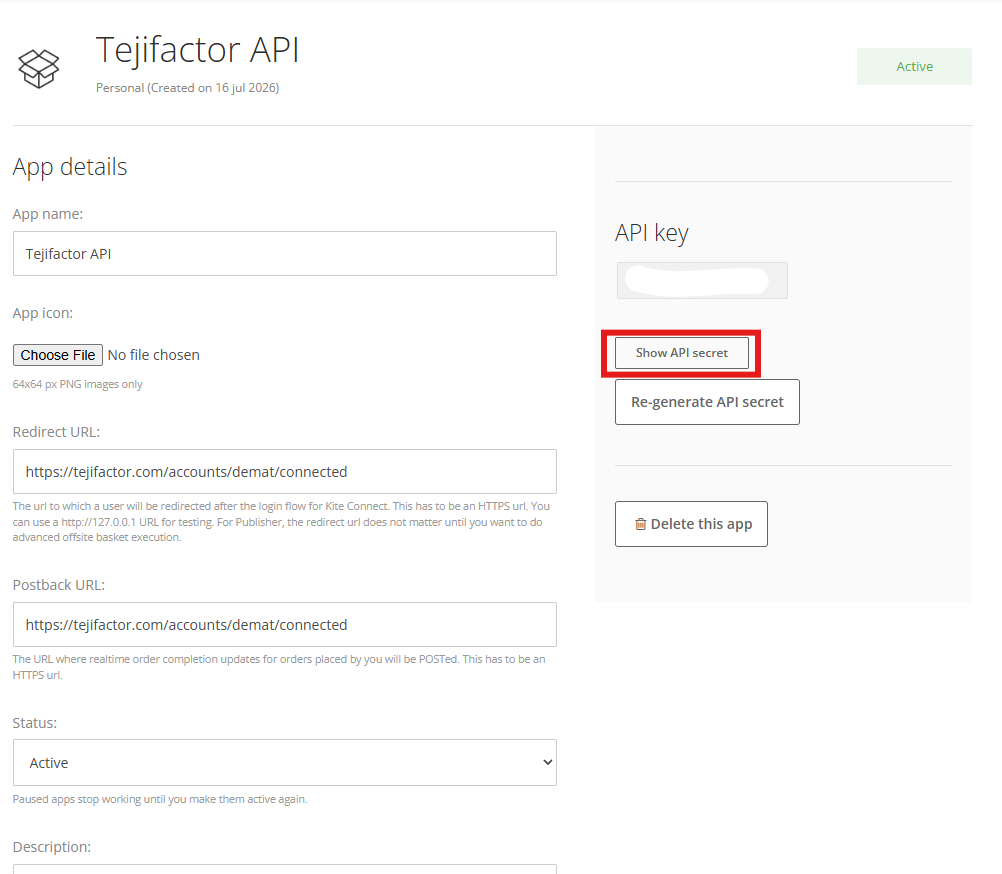
When you click on the “Show API Secret” button, your Zerodha API Secret Key will become visible.
Step 5:
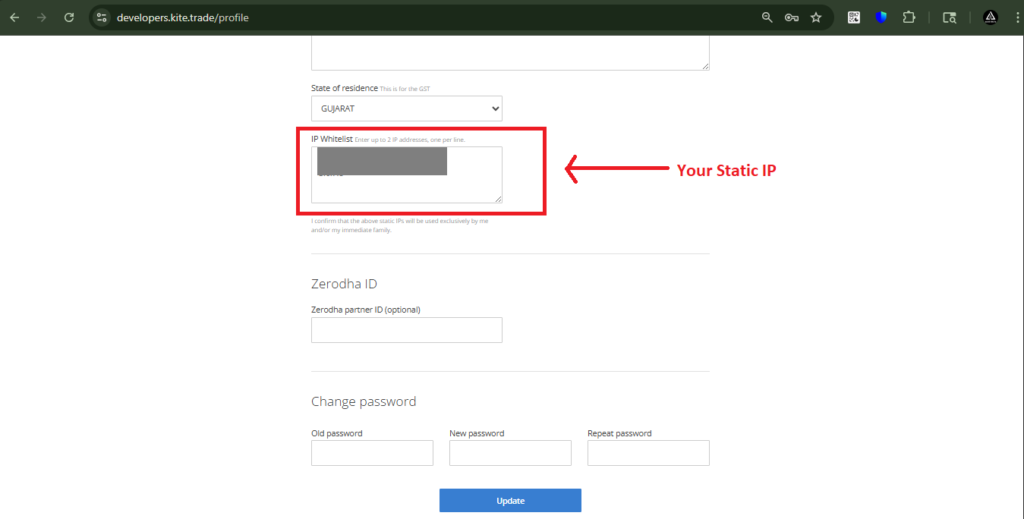
Now, To add your Static IP in Zerodha, click on the ‘Profile’ tab.
Then, in the ‘IP Whitelist’ section, enter the Static IP obtained from TejiFactor.
Then, click on the ‘Update’ button.
Step 6:
Now, go to Tejifactor Website, after submitting all Details of Zerodha Account and Click on “Link Account”. You will see a “Broker Connected” pop-up.
You’re All Set!
You have successfully connected your Zerodha Account with API with Tejifactor.