


To connect Kotak Securities with Tejifactor, follow these steps:
1. Generate the TOTP Key and TOKEN from the Kotak Neo Trade API portal.
2. Add Kotak Neo Account Details in Tejifactor.
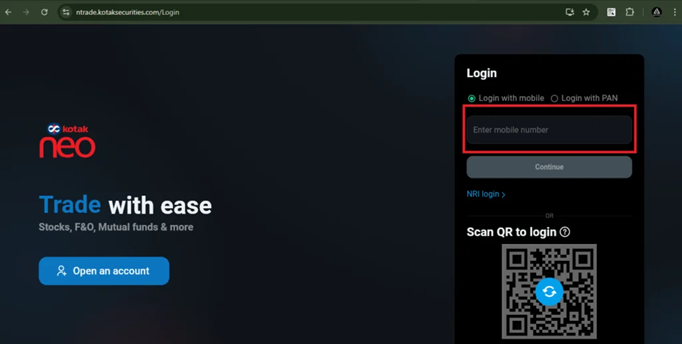
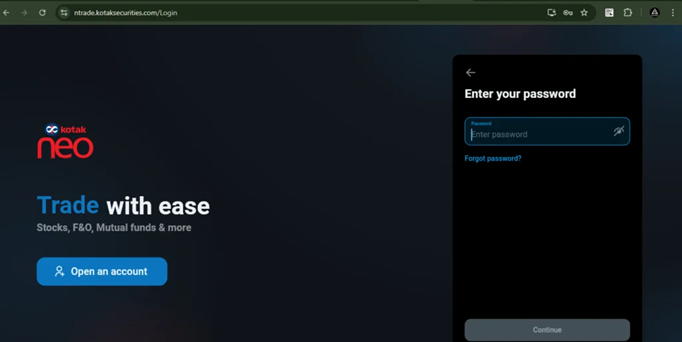
You have to log in using this link: https://ntrade.kotaksecurities.com/Login. Enter your registered Kotak Securities mobile number, followed by your password.
After that, Enter the OTP received on your registered mobile number and Email-ID.
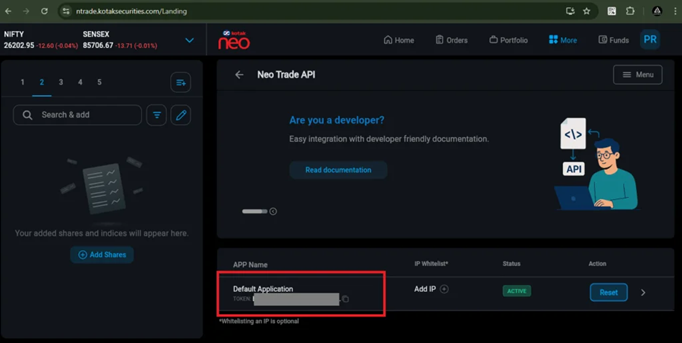
Step 1 : For generating Kotak token
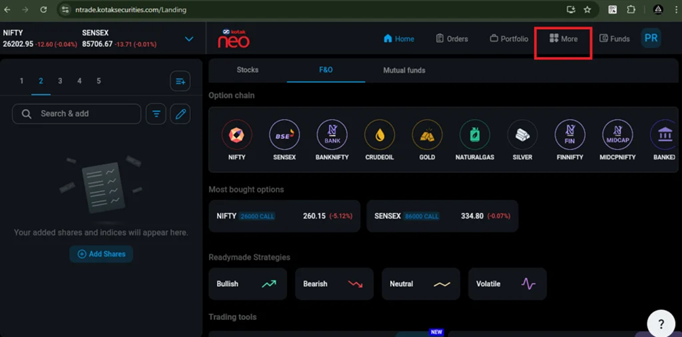
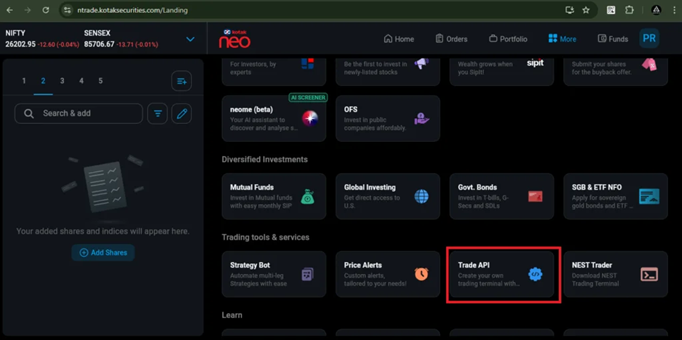
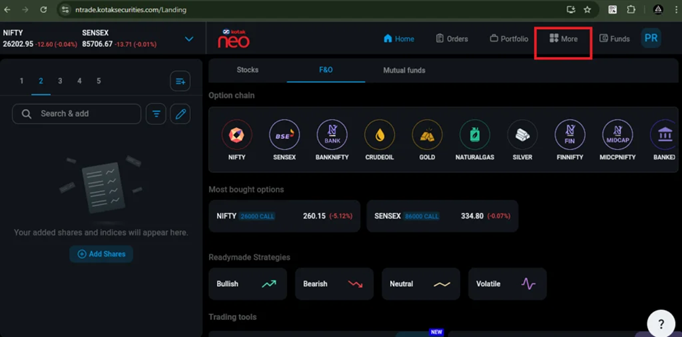
- Click on the ‘More’ tab, and then click on ‘Trade API’.
- After clicking on ‘Trade API’, you will be able to see the Kotak token.
Step 2 : For generating TOTP key / Setup Key
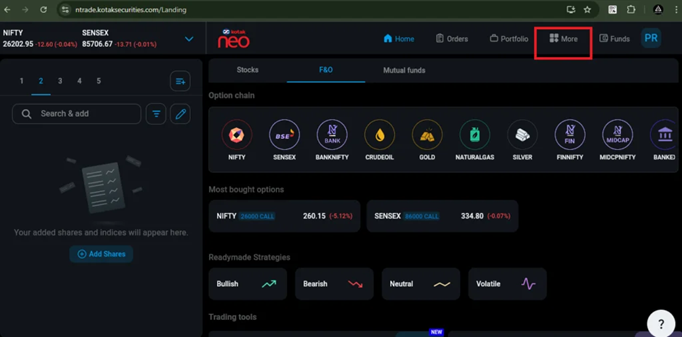
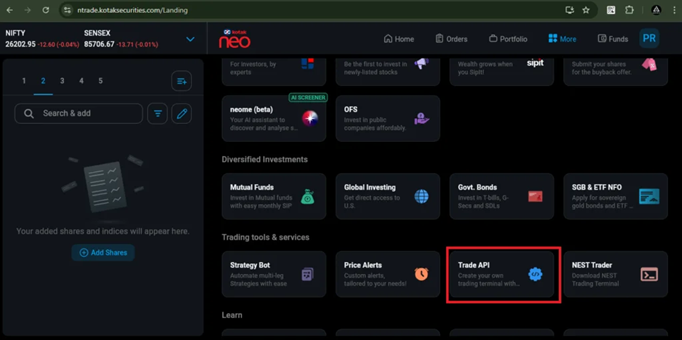
1. Click on the ‘More’ tab, and then click on ‘Trade API’.
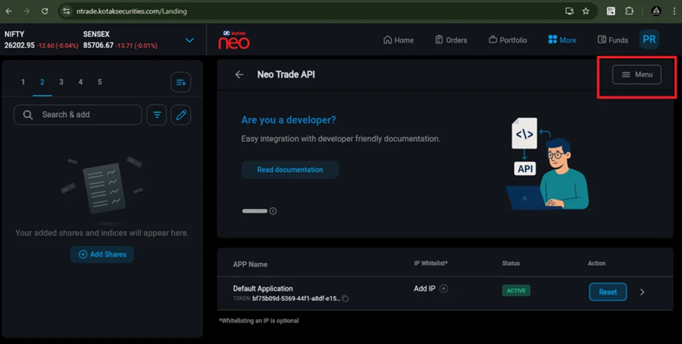
2. Then, click on the Menu button and then Click on ‘TOTP registation’ button.
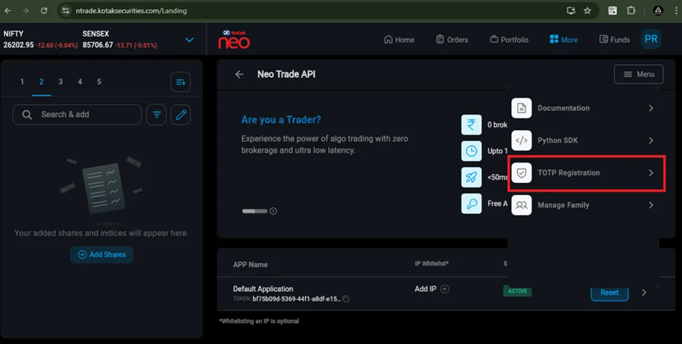
Then, Copy the Setup Key from here and note it down in your Notepad file.
After that, scan the QR code to generate a 6-digit TOTP, or use the setup key to generate the 6-digit TOTP.
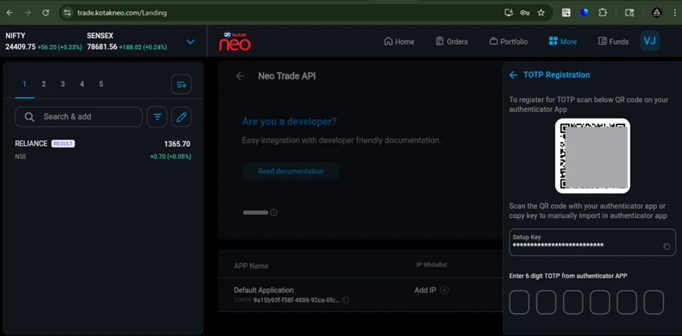
Now enter the long Setup key into your Authenticator app. The app will generate a 6-digit TOTP code, which you need to enter here to complete the authentication process.
Step 3 : To add a Static IP
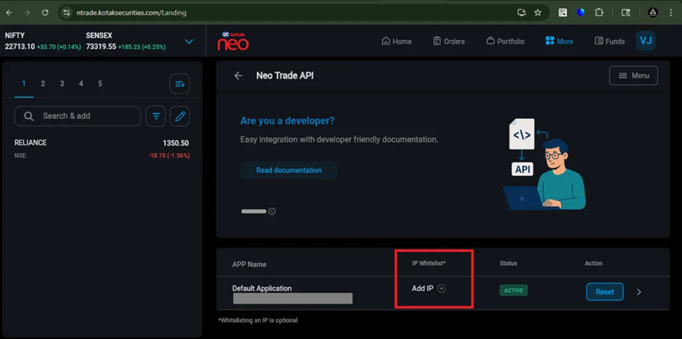
To add a Static IP in Kotak Securities, click on the ‘More’ tab, then select ‘Trade API’.
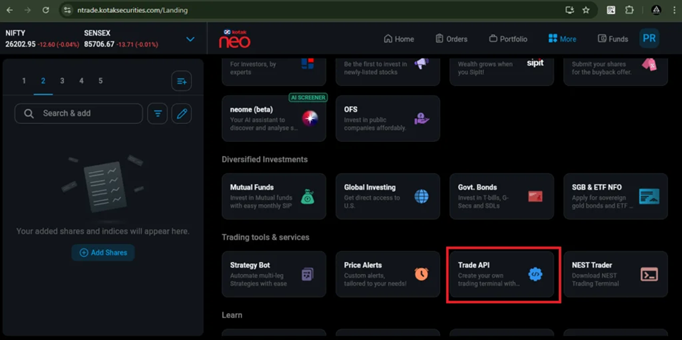
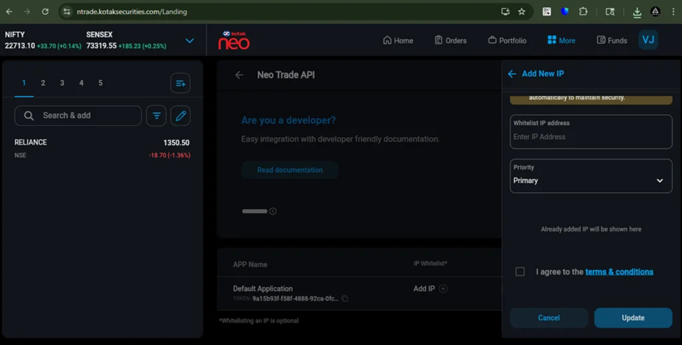
Then, click on ‘Add IP’ and enter the “Static IP” obtained from Tejifactor.
Then, tick ‘I agree to the terms and conditions’ and click on the ‘Update’ button.
Step 4 : Add Kotak Neo Account Details in Tejifactor.
Now, Go to Tejifactor’s Website using the following link: https://www.tejifactor.com/auth
Login to your Tejifactor Account.
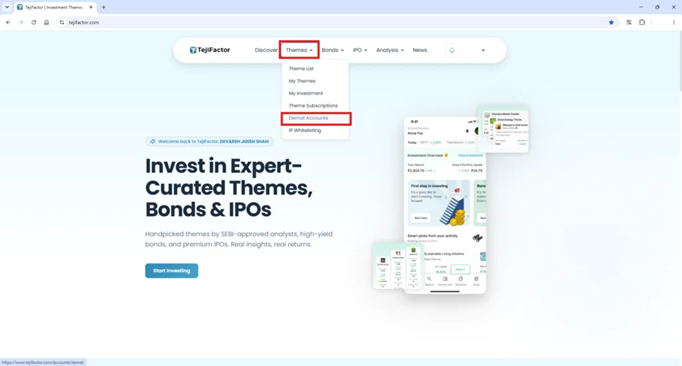
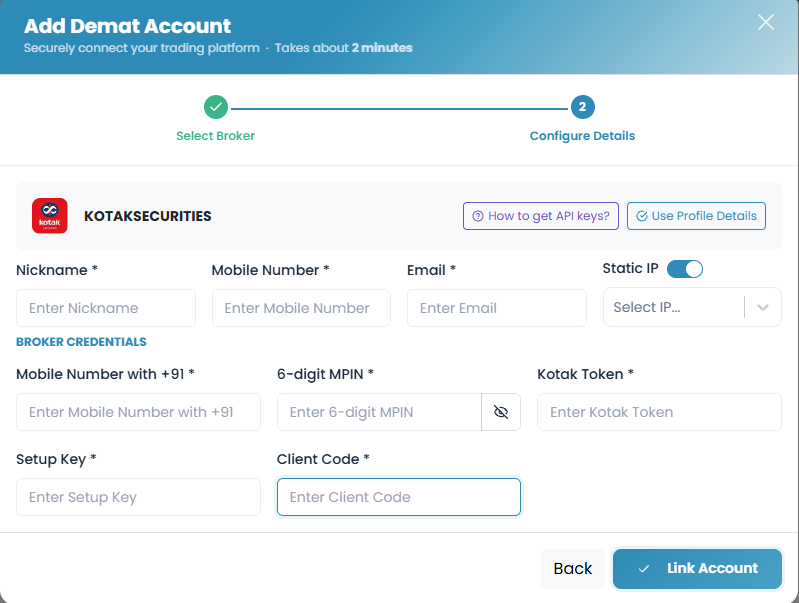
Go to the “Themes” tab and click on “Demat Accounts.” Click on “Add Account” and Select “Kotak Securities” as the broker and provide the following details:
- Nickname
- Mobile Number
- Email ID
- Select “Static IP” (Allocated after Subscribing to the Theme)
- Mobile Number with +91 (Mobile Number connected with your Demat Account)
- Kotak Securities 6 Digit MPIN
- Kotak Token (generated from the Kotak Neo in Step – 1)
- Setup Key/TOTP Key (generated from the Kotak Neo in Step – 2).
- Client Code
Click on “Add.” You will see a “Broker Connected” pop-up.
You’re All Set!
You have successfully connected your Kotak Securities account with Tejifactor.