

Introduction:
To connect AngelOne with Tejifactor, follow these steps:
- Add AngelOne Account Details in Tejifactor
- Generate API Key from AngelOne SmartApi.
- Enable TOTP from AngelOne SmartApi.
Step 1:
Go to Tejifactor’s Website using the following link: https://www.tejifactor.com/auth
Login to your Tejifactor’s Account.
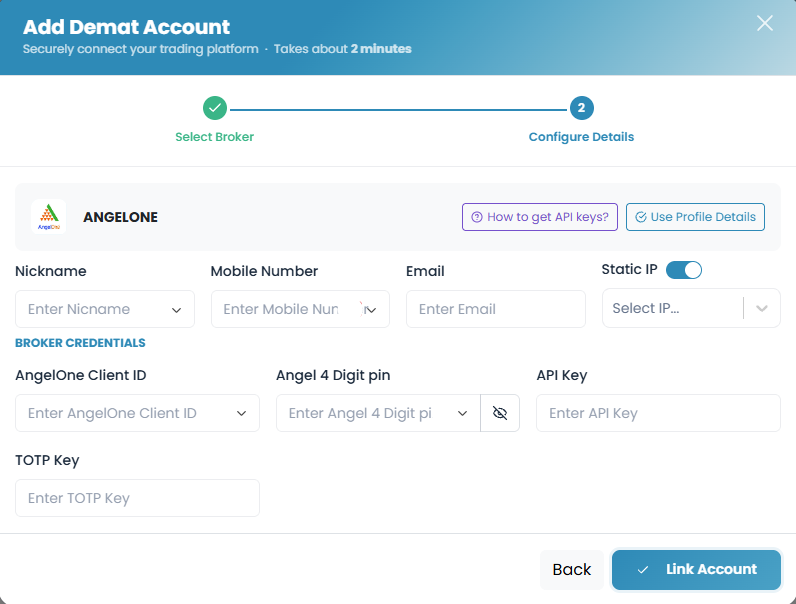
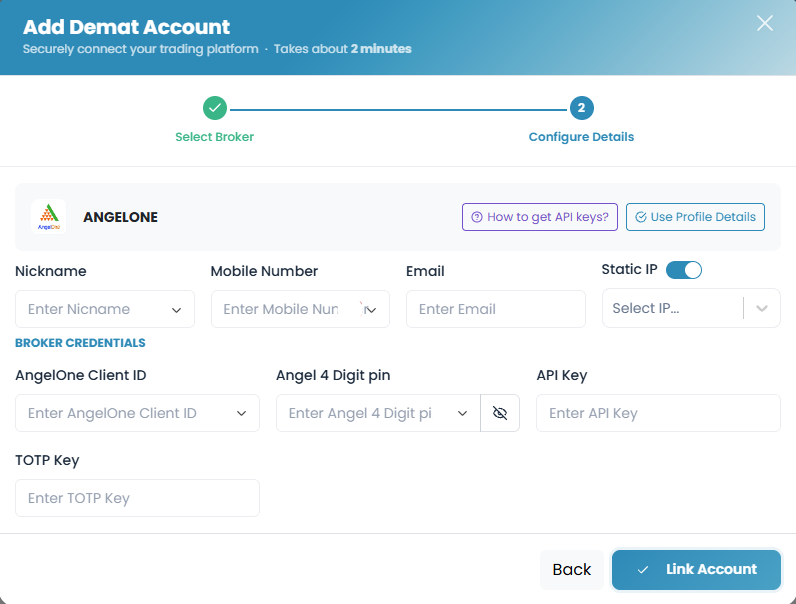
Go to the “Themes” tab and click on “Demat Accounts.” Click on “Add Account” and Select “AngelOne” as the broker and provide the following details:
- Nickname
- Mobile Number
- Email ID
- Select “Static IP” (Allocated after Subscribing to the Theme)
- Angel One Client ID
- Angel One 4 Digit PIN
- API Key (generated from the AngelOne SmartAPI portal in Step – 3)
- TOTP Key (generated from the AngelOne SmartAPI portal in Step – 5).
Step 2:
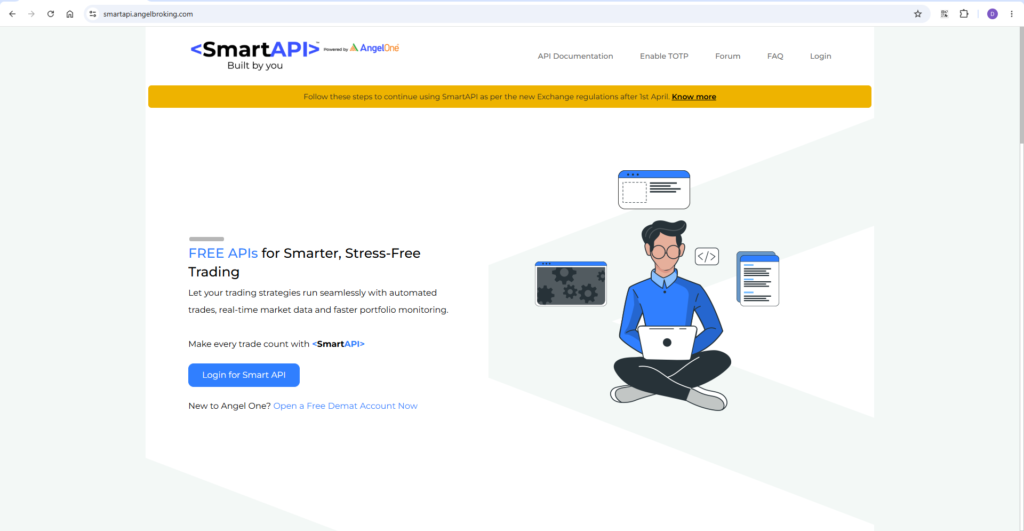
Open the AngelOne SmartAPI website using the following link: https://smartapi.angelbroking.com/.
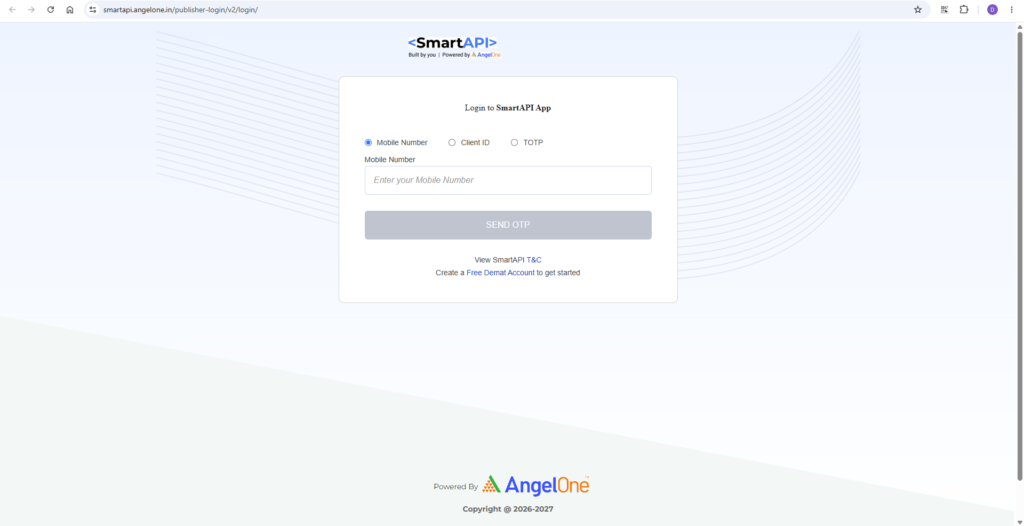
Click on “Login” to Log into SmartAPI App, with your Mobile Number / Client ID.
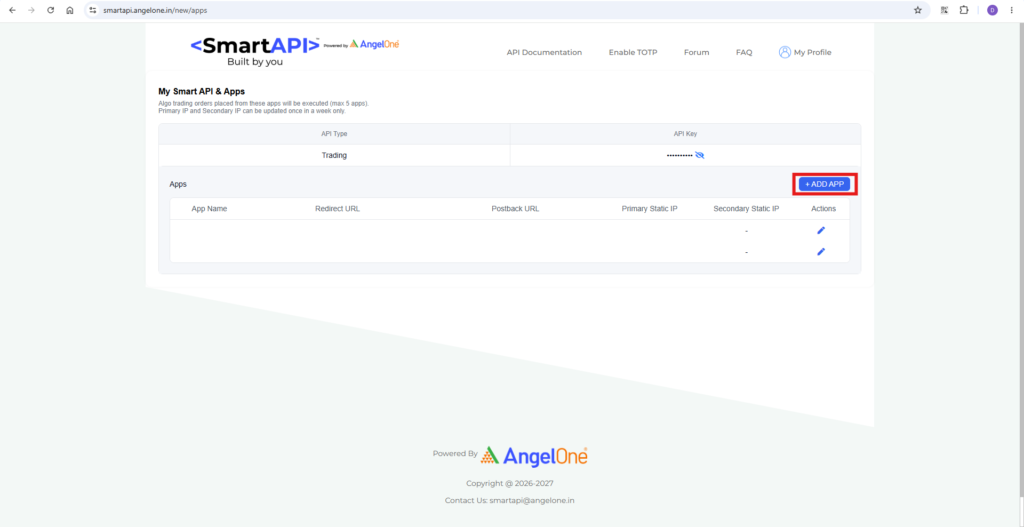
Enter the required Details for Login and you will be directed to your SmartAPI & Apps Home Page.
Click on ” Add App” option.
Step 3:
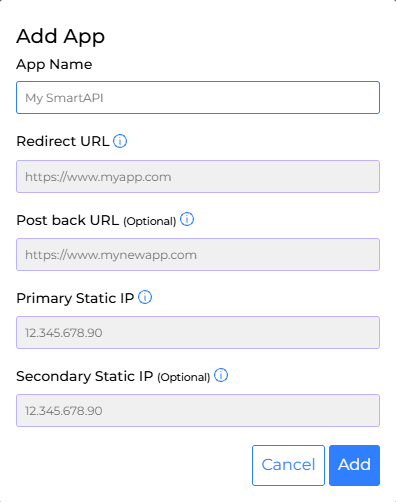
Add “App Name” (e.g. “Tejifactor API” “Tejifactor”)
Add “Redirect URL” (Copy the URL ” www.google.com “)📋
Add “Primary Static IP” (Generated from Tejifactor Website as mentioned in Step-1.)
and click on ” Add ” to submit all the Details.
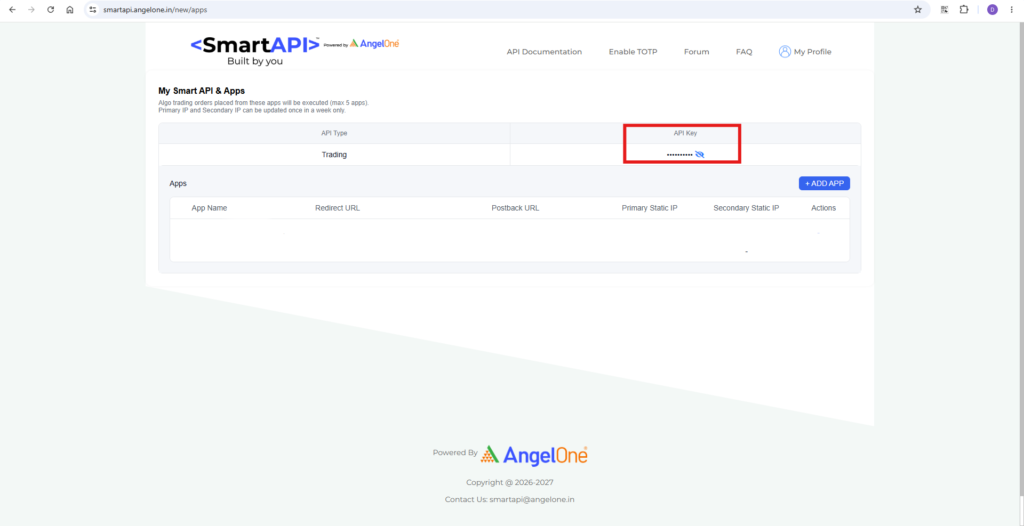
You will be redirected to Home Screen and your “API Key” will be displayed on the Screen.
Copy the API Key and Paste it on Tejifactor Website.
Step 4:
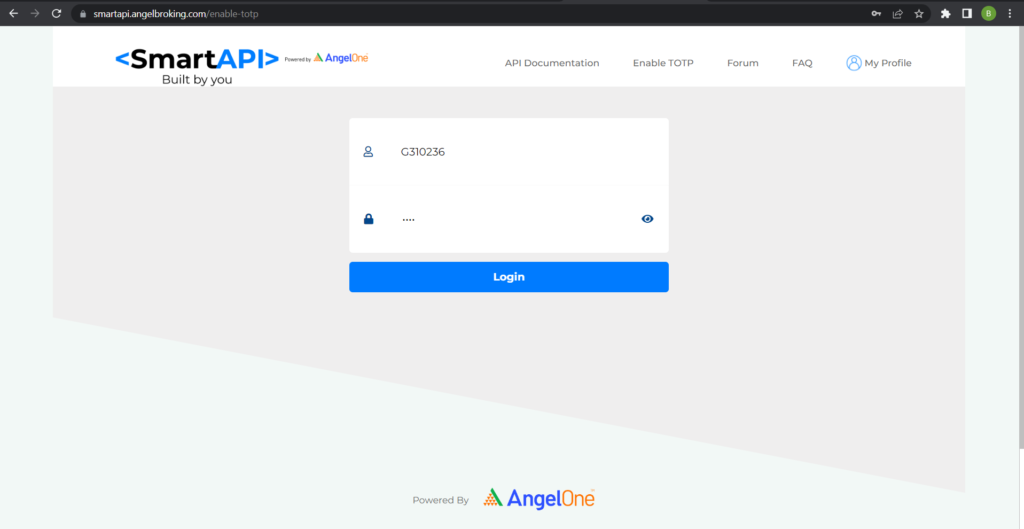
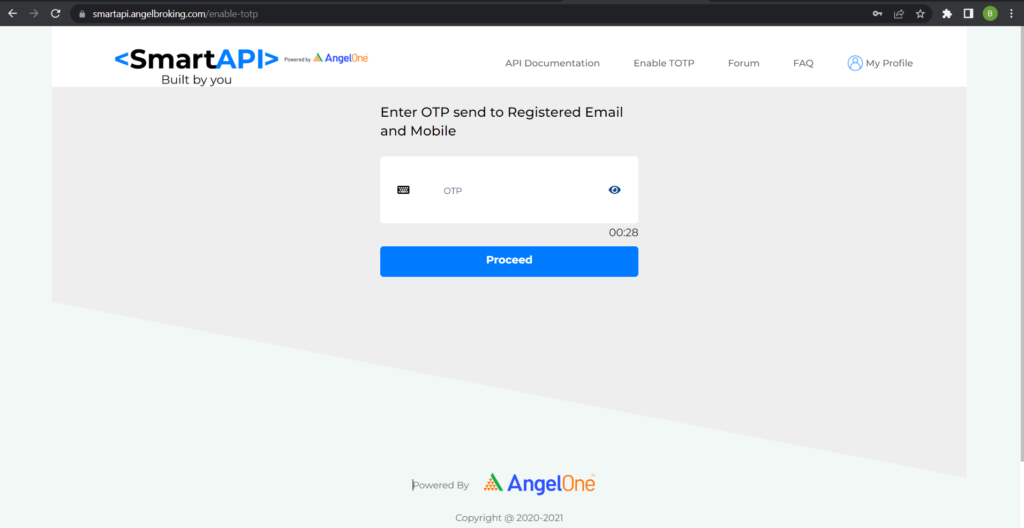
Now Click on “Enable TOTP” and enter your AngelOne client ID and PIN. You will receive an OTP on your registered mobile number and email ID. Enter Otp and click on Proceed.
Step 5:
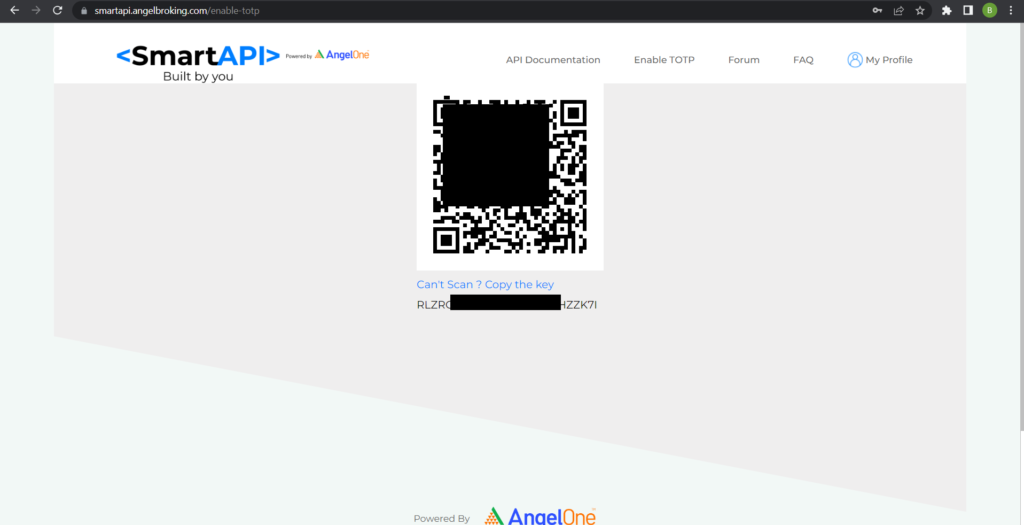
After entering the OTP, you will see a barcode and a TOTP key below the barcode.
Copy the TOTP key and Paste it on Tejifactor Website.
Step 6:
Now go to Tejifactor Website, after submitting all Details of Angel One Account and Click on “Link Account” You will see a “Broker Connected” pop-up.
You’re All Set!
You have successfully connected your AngelOne account with Tejifactor.